

Smart switches have become one of the most popular upgrades in modern American homes. They offer convenience, automation, voice control, energy management, and remote access that traditional switches do not. With many users shifting toward connected homes, understanding what makes a smart switch worth buying and how to choose one correctly matters more than ever.
Parrot Uncle is a U.S.-based home brand best known for large ceiling fans, chandeliers, and lighting solutions that improve comfort and elevate the look of everyday spaces. Building on our long-standing experience with home electrical fixtures and everyday usability, we also offer smart switches designed to make lighting control simpler, more reliable, and more flexible in real homes. In this article, we draw on that experience to answer one key question: Smart Switches Buying Guide: What to Look For Before You Buy.

Are Smart Switches Worth Buying?
Smart switches replace regular wall switches and let you control lights or other electrical loads by smartphone, voice, schedule, or automation. They are designed to integrate seamlessly into a smart home ecosystem while providing additional features not found with standard switches.
Key advantages
-
Remote Control and Scheduling – You can turn lights on or off from your phone anywhere in the world, or set them on a schedule so they behave automatically.
-
Voice Assistant Support – Most support major platforms like Amazon Alexa, Google Assistant, and often Apple HomeKit through Matter or direct integration.
-
Automation and Scenes – Smart switches can be grouped into scenes (for example, “Goodnight” turns off all lights) or triggered automatically based on time or sensor data.
-
Energy Management – Many models include energy reporting, which helps homeowners see which circuits draw the most power and when.
-
Improved Home Security – Lights can turn on when motion is detected or simulate occupancy when you are away.
These benefits make smart switches especially valuable in busy homes, rentals, and setups where convenience and automation deliver real daily value.
Summary: If you value automation, hands‑off control, and remote access—yes, smart switches are worth buying.
Can You Convert a Regular Light Switch to a Smart Switch?
The short answer is yes. In most homes, a standard mechanical light switch can be replaced with a smart switch.
What changes with a smart switch
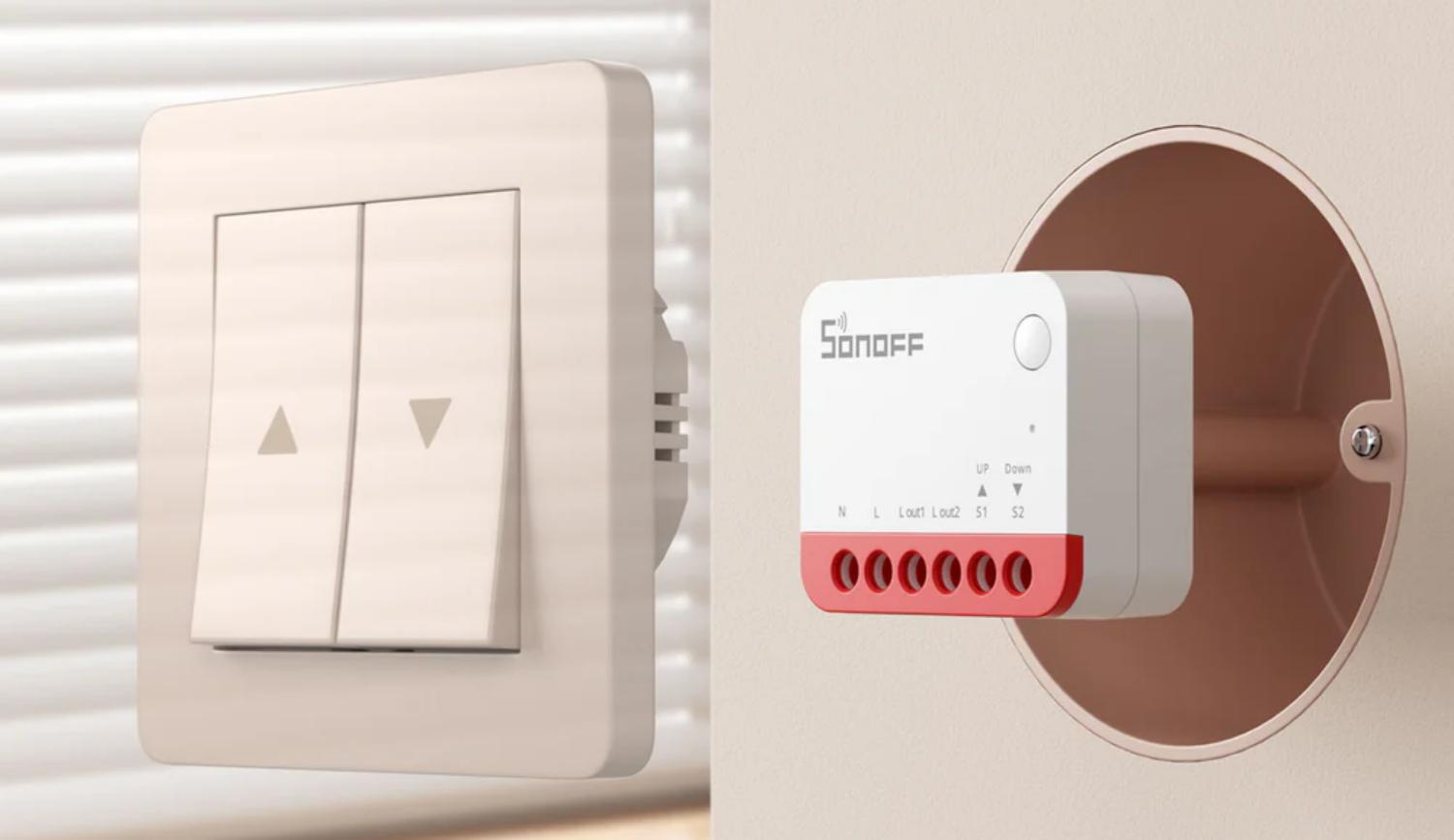
A typical smart switch usually stays powered all the time so the internal electronics can respond to commands from an app or hub. This is different from a traditional switch, which simply opens or closes a circuit. Smart switches rely on integrated electronics to manage signals and connectivity. They require line and load connections, and many need a neutral wire to power their internal circuits continuously.
Comparison to smart bulbs
An alternative to smart switches is using smart bulbs. While smart bulbs can deliver similar remote and automation features, they work at the fixture level. Smart switches control circuits and lamps regardless of bulb type, and they don’t rely on each bulb’s compatibility, which makes them a more permanent control solution.

Do Smart Switches Require Special Wiring?
Wiring is one of the most important technical aspects to understand before you buy. Smart switches interact with your household wiring differently from a standard switch, and this affects compatibility and installation.
Neutral Wire Requirement
Most smart switches expect a neutral wire in the switch box. A neutral wire provides the continuous power necessary to run the electronics in smart switches. In recent years, US electrical codes have required neutral wires in switch boxes for new construction, partly to support smart devices.
If you do not have a neutral wire, there are some no‑neutral models available that can operate without it. These models source a small amount of current through the load to power their circuitry. However, this approach can sometimes cause flickering with LED bulbs or limit compatibility.
Single‑Pole vs. Multi‑Location Wiring
-
Single‑Pole Switches: These replace an ordinary on/off switch controlling one circuit and are the simplest configuration.
-
3‑Way / Multi‑Location Switches: These allow control of the same light from two or more locations (e.g., top and bottom of stairs). Smart 3‑way setups often require a companion switch or add‑on module to maintain full functionality.
Professional Installation
Smart switch wiring involves working inside the electrical box. Unless you have experience with house wiring and safety procedures, a licensed electrician is recommended for installation.

Do Smart Switches Use Power When They Are Off?
Yes. Unlike a traditional switch that completely disconnects the circuit, smart switches usually remain powered to keep the internal electronics active. This means they often draw a small amount of standby power even when the light is off.
However, this standby draw is very low—typically in the range of milliwatts—and is similar to or lower than what other always‑on devices in a smart home use. The trade‑off is that the switch stays ready to respond immediately to remote or automated commands.
The presence of standby energy use is simply part of how smart devices work and does not significantly affect typical household electricity costs.
How People Use Smart Switches in Real Homes
Smart switches are versatile, and real users tend to deploy them in several useful ways:
1. Automated Lighting Control
Homeowners often schedule lights to turn on and off at specific times—such as sunset or bedtime—to improve comfort and convenience. They also use timers for safety when away on vacation.
2. Voice and Remote Control
By linking smart switches to voice assistants like Alexa, Google Assistant, or HomeKit (often via Matter), people can control lights without touching a wall. This is especially useful when carrying items or for accessibility.
3. Zone Control
Instead of walking to every room, smart switches help manage multiple rooms’ lighting from a single app. For example, “all off” routines ensure every light in the house is off when leaving.
4. Energy Monitoring
Certain high‑end smart switches track how much electricity a light circuit draws. This data can help identify wasteful usage patterns or confirm that a circuit is not being left on for long periods.
5. Integration With Smart Scenes
Smart switches often participate in broader automation rules—like linking lights with motion sensors, door sensors, or HVAC routines, providing seamless household automation.

Smart Switch Features to Evaluate Before You Buy
Choosing the right smart switch isn’t just about price. Here are the most important features to compare:
Compatibility
Make sure the smart switch works with your existing smart ecosystem:
-
Amazon Alexa
-
Google Assistant
-
Apple HomeKit (via Matter or native support)
-
Home automation hubs (Zigbee, Z‑Wave)
This determines how you can control and automate the switch with other devices in your home.
Connectivity Type
Smart switches can connect using:
-
Wi‑Fi: Direct connection to your router, usually no hub required.
-
Zigbee / Z‑Wave: Require a hub but can offer lower latency and broader mesh network stability.
Each method has pros and cons depending on your home network and number of devices.
Neutral Wire Requirement
Confirm whether the model you plan to buy needs a neutral wire. Older homes may not have a neutral in the switch box, and a no‑neutral model or electrician assistance may be needed.
Load and Bulb Compatibility
If you are wiring dimmers, ensure the switch supports the bulb types in your fixtures. Some LED bulbs need specific dimming profiles to work smoothly without flicker.
Remote Access and App Quality
App quality varies widely. A good app makes setup easier and offers reliable feedback on device status, scheduling, and automation.
Firmware Updates and Support
Switches that receive firmware updates can improve features and security over time. A warranty and active support network add long‑term value.

FAQ
Q1. What makes a smart switch different from a smart bulb?
A smart switch controls the circuit at the wall level and applies across all bulbs and fixtures on that circuit. Smart bulbs control individual bulbs but leave the wall switch in place. Smart switches offer broader control and don’t rely on bulb compatibility.
Q2. Do smart switches work if my internet goes down?
This depends on the model and connectivity type. Some local automation and scene control can work over Zigbee/Z‑Wave without internet. Wi‑Fi switches often need internet for remote control but may still work locally via local Wi‑Fi.
Q3. Can I install a smart switch myself?
If you are familiar with electrical safety and have a neutral wire present, you may be able to. If you are unsure about wiring or safety, hire a licensed electrician to avoid hazards.
Q4. What if my home does not have a neutral wire at the switch box?
Some smart switches are designed to work without a neutral wire, but they can have limitations. Always check the product specifications and consider professional evaluation of your wiring before purchasing.
Q5. Can smart switches save energy?
Smart switches themselves use a small standby current. The energy savings come from better control of lighting—automatic shutoff, schedules, away modes, and integrations that prevent lights from staying on unnecessarily